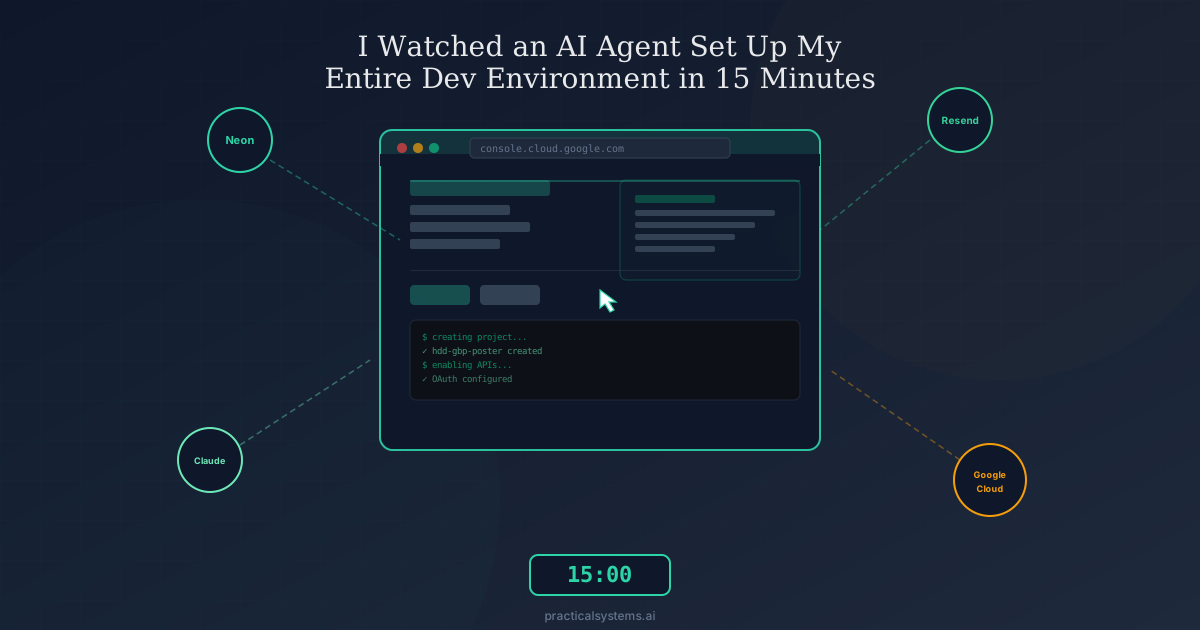
Everybody talks about AI agents. Almost nobody shows what they actually do.
So here is what happened on a Saturday afternoon when I handed an AI agent control of my Chrome browser and asked it to set up a new project from scratch.
No cherry-picked demo. No controlled environment. Just a real setup guide, a real browser, and an agent that knew how to navigate the internet.
The Task
I had a client project called HDD GBP Poster that needed to go from zero to running. The setup guide called for accounts and credentials across five different platforms: Neon (database), Resend (email), Anthropic (AI), Google Cloud (OAuth), and Vercel (storage).
If you have ever set up a full stack app from scratch, you know this dance. Open a browser tab. Navigate to a dashboard. Click through a project creation wizard. Copy a connection string. Paste it into an .env file. Repeat across four more platforms. Miss one character in a URL and spend 30 minutes debugging why OAuth returns "invalid redirect."
It is the kind of work that is not hard but is deeply tedious. Every step is documented. Every step is predictable. And every step takes longer than it should because you are context switching between documentation, dashboards, and config files.
Total estimated time if I did it myself: about 45 minutes to an hour, assuming nothing went sideways.
The Agent Takes the Wheel
I was running OpenClaw with its browser relay extension. The setup is simple: you attach a Chrome tab, and the agent can see your screen and interact with it the way a human would. Clicking, typing, navigating, reading what is on the page.
I told it what I needed. Before doing anything, it asked me a few clarifying questions.
Did I already have a Resend account? Yes. Should it create a new Anthropic API key or reuse one? New one. Did I have an existing Google Cloud account? Not sure. Skip Vercel Blob for now? Yes.
This is a detail worth pausing on. The agent did not blindly execute the setup guide step by step. It assessed the situation first. It identified which steps required my input and which it could handle autonomously. That is the difference between a script and an agent.
Then it went to work.
Four Platforms, Fifteen Minutes
Neon: Two Minutes
The agent navigated to my Neon dashboard, where I already had four existing projects. It clicked "Create Project," named it "hdd-gbp-poster," selected the region, and created it.
Then it grabbed the pooled connection string, toggled the setting to get the direct connection string, revealed the password on both, and stored them.
Two credential values, two minutes, zero confusion about which connection string was which.
Resend: One Minute
It navigated to Resend, went straight to API Keys, created a new key named for the project, and copied it.
One minute. I did not even have to remember where the API key page was in the Resend dashboard.
Anthropic: One Minute
Navigated to the Anthropic console. The agent noted I had 31 existing API keys (fair point, I should clean those up). Created a new one, named it, copied it.
Three platforms down in under five minutes.
Google Cloud: The Real Test
This is where things got interesting. Google Cloud OAuth setup is the step that trips up even experienced developers. It involves creating a project, enabling specific APIs, configuring an OAuth consent screen with the right scopes, creating credentials with exact redirect URIs, and adding test users.
The setup guide estimated 10 minutes for a human. That is optimistic. In my experience, Google Cloud OAuth is a 20 minute adventure that involves at least one wrong turn and one moment of staring at a consent screen wondering which email field is which.
The agent handled it methodically. Created the project. Navigated to the API library. Searched for and enabled both required Business Profile APIs. Moved to the OAuth consent screen. Selected External user type. Filled in the app name, support email, and developer contact. Added the correct scope. Added my email as a test user. Then created the OAuth client credentials with the exact redirect URI the application expected.
No wrong turns. No hesitation on which scope to select. No accidentally choosing "Internal" when the guide says "External."
When it finished, it downloaded the credentials JSON and started scaffolding the Node.js project files and installing dependencies.
The Whole Picture
From start to finish, the agent configured four cloud platforms, generated six credential values, set up OAuth with proper scopes and test users, and scaffolded the project. Total elapsed time was roughly 15 minutes, including the pauses where I answered its clarifying questions and one moment where the connection lagged.
The final tally:
Neon database with pooled and direct connection strings. Resend email API key. Anthropic Claude API key. Google Cloud project with two APIs enabled, OAuth consent screen configured, credentials created, and test user added.
All I had to do was paste the credentials into my .env file and run the setup commands.
What This Is Actually About
I am not writing this to impress anyone with a browser automation demo. If that were the goal, I would have recorded a video and set it to dramatic music.
The point is that most conversations about AI agents are happening at the wrong altitude.
People hear "AI agents" and they picture some science fiction scenario where an AI runs your entire business while you sit on a beach. Or they picture a chatbot that says "I am an AI agent" but still just answers questions in a text box.
The reality is in between, and it is way more useful than either extreme.
What I watched happen on my screen was not magic. It was an AI doing the same tedious, well documented work that burns hours every week in every technical team. The kind of work where you already know every step, but you still have to do each one manually because no API connects Neon's project creation wizard to Google Cloud's OAuth configuration.
That is the gap agents fill. Not replacing human judgment. Not making creative decisions. Just handling the execution of tasks where the steps are known and the value of a human doing them is approximately zero.
The Pattern Matters More Than the Demo
If you strip away the specifics, the pattern here is the same one we implement for clients at Practical Systems.
Identify work that is predictable and well documented. Build an agent that can execute the steps. Keep the human involved for decisions that require judgment. Let the machine handle everything in between.
Our sales agents do this with prospect research. Our content pipeline does this with blog post drafts. Our outreach agent does this with email sequences. And now, browser based agents can do this with any workflow that happens in a web interface.
The technology is not the interesting part. The interesting part is recognizing which of your workflows fit this pattern. Because most operations teams have dozens of them, and every single one is burning hours that could go toward work that actually requires a human brain.
What Surprised Me
Three things caught my attention during this session.
First, the clarifying questions. I expected the agent to either follow the guide robotically or need constant hand holding. Instead, it assessed the situation, asked the right questions up front, and then executed autonomously. That middle ground between fully autonomous and fully manual is where the real value lives for business applications.
Second, the Google Cloud OAuth setup. Of all the steps, this was the one I expected to break. OAuth configuration has enough edge cases and confusing UI that even experienced developers make mistakes. The agent navigated it cleanly because it was not distracted, did not second guess the documentation, and did not accidentally click the wrong button because it was juggling three browser tabs.
Third, the pace. Not the raw speed, but the lack of dead time. When I set up environments manually, most of my time is not spent doing the actual work. It is spent remembering where a setting lives, reading a help page I have read before, or waiting while my brain context switches between platforms. The agent had none of that overhead.
The Honest Limitations
This was not a flawless experience. Some real constraints worth noting.
The agent needs the browser relay extension active and a Chrome tab attached. If the connection drops, you have to reattach. That happened once during the session and I had to tell it to continue where it left off.
It cannot handle CAPTCHAs or multi-factor authentication prompts that require my phone. For the platforms where I was already logged in, this was not an issue. But setting up a brand new account from scratch would require more human intervention.
And the most important limitation: this works because the task was well defined with a clear setup guide. If the instructions had been vague or contradictory, the agent would have needed more guidance. Agents amplify good documentation. They do not replace it.
Try This Yourself
If you want to see what browser based AI agents can actually do for your workflows, start with something boring. Not your most complex process. Your most tedious one.
The setup nobody wants to do. The vendor onboarding checklist. The monthly report that involves pulling data from four different dashboards. The thing your team has documented perfectly but still hates doing.
That is where agents deliver immediate, measurable value. And it is a much better starting point than trying to automate something that requires human creativity or strategic thinking.
If you want help identifying which of your workflows fit this pattern, our AI readiness audit is designed exactly for that. Or just book a call and tell me about the task your team dreads most. I guarantee there is an agent that could handle it.
What is the most tedious recurring setup task in your workflow? The one you have done dozens of times but still takes forever? I would love to hear what you would hand off to an agent first.